Is Cartrack down - July, 2026?

Cartrack Outages and Status
Cartrack Logo

Cartrack.co.za is a leading provider of fleet management solutions in South Africa, offering vehicle tracking and telematics technology. They pride themselves on offering real-time, reliable services, enhancing vehicle security and improving operational efficiency for businesses. Their platform is user-friendly, making fleet management a seamless process for their clients. They're also committed to delivering exceptional customer service, making them a trusted choice in the industry.

Last check: Just Now |

URL Checked:

https://www.cartrack.co.za/

Last Down:

not recently

Response Time:

0.42 ms.

Cartrack outages reported by users in the last 24 hours

No Cartrack problems reported in the last 24 hours

This chart shows the number of Cartrack outages/problems reported by users in the past 24 hours. All data in the chart is in the Africa/Johannesburg time zone.

Recent Cartrack User Reports

Check out the latest user reports on Cartrack, detailing the types of issues experienced and their locations. This helps you determine if others in your area are encountering similar problems.

  • ZA Flag Icon
    Jun 21, 2026 - 17:47

    A visitor from Boksburg, South Africa has reported a problem with General Issues

  • ZA Flag Icon
    Jun 21, 2026 - 16:37

    A visitor from Johannesburg, South Africa has reported a problem with Service

  • ZA Flag Icon
    Jun 21, 2026 - 16:00

    A visitor from Johannesburg, South Africa has reported a problem with General Issues

  • ZA Flag Icon
    Jun 21, 2026 - 12:03

    A visitor from Johannesburg, South Africa has reported a problem with General Issues

  • ZA Flag Icon
    Jun 21, 2026 - 11:28

    A visitor from Johannesburg, South Africa has reported a problem with General Issues

  • ZA Flag Icon
    Jun 21, 2026 - 11:19

    A visitor from Newcastle, South Africa has reported a problem with General Issues

  • ZA Flag Icon
    Jun 21, 2026 - 11:06

    A visitor from Johannesburg, South Africa has reported a problem with General Issues

Join Cartrack Discussion

Suggestions? Issues? Outages?
Please share your Cartrack experience with other users around the globe.

ZA Flag Icon

Louise

Mdantsane, South Africa 22 days ago

App error
End of input at line 1 column 1 patch $

ZA Flag Icon

JBJ

Boksburg, South Africa 23 days ago

Cant lig in

ZA Flag Icon

Natasja

Johannesburg, South Africa 23 days ago

SQLSTATE[08006] [7] connection to server at
"fleet24.cartrack.co.za"
(192.168.127.11), port 5432 failed

ZA Flag Icon

Boniswa

Johannesburg, South Africa 23 days ago

Since 20 June, server issues. They need to fix this ASAP. Both app & web.

ZA Flag Icon

Candace

Johannesburg, South Africa 23 days ago

Connecting to server problems

ZA Flag Icon

Serena

Johannesburg, South Africa 23 days ago

Online login page does not load. App log in page says cannot connect to server

ZA Flag Icon

Raquel

Johannesburg, South Africa 23 days ago

Doesn't seem to be connecting to the internet whether it's Wi-Fi or data. Can't switch off Car Watch so I can't go anywhere until the problem is sorted.

ZA Flag Icon

Joe

Johannesburg, South Africa 23 days ago

App not responding

ZA Flag Icon

Joe

Johannesburg, South Africa 23 days ago

App not responding

ZA Flag Icon

Retha

Johannesburg, South Africa 24 days ago

Cannot set my car watch or log into app. Cartrack database system in recovery mode, fleet62.cartrack.co.za

ZA Flag Icon

Pretoria, South Africa 4 months ago

Unable to connect to the server

ZA Flag Icon

Durban, South Africa 4 months ago

App and website tracking is down

ZA Flag Icon

ryan

Germiston, South Africa 4 months ago

cant get access to cartrack on the web or app

ZA Flag Icon

Durban, South Africa 4 months ago

Not logging in

ZA Flag Icon

Sonia Thomas

Cape Town, South Africa 4 months ago

Cartrack server not responding.

ZA Flag Icon

ILIOS TRAVEL

Cape Town, South Africa 4 months ago

CARTRACK FLEETWEB NOT RESPONDING WEBSITE DOWN

ZA Flag Icon

ILIOS TRAVEL

Cape Town, South Africa 4 months ago

Car track fleetweb down. not responding

ZA Flag Icon

ILIOS TRAVEL

Cape Town, South Africa 4 months ago

Car track fleetweb down. not responding

ZA Flag Icon

ILIOS TRAVEL

Cape Town, South Africa 4 months ago

Car track fleetweb down. not responding

ZA Flag Icon

ILIOS TRAVEL

Cape Town, South Africa 4 months ago

Car track fleetweb down. not responding

ZA Flag Icon

BUCO

Cape Town, South Africa 4 months ago

SERVER DOWN. NO VISUAL ON ANY VEHICLES.
PHONES GET NO ANSWER

ZA Flag Icon

Neil

Blinkpan, South Africa 4 months ago

App not working. Phone lines down as well.

ZA Flag Icon

Pretoria, South Africa 4 months ago

Can't use my live camera

ZA Flag Icon

Saayman

Boksburg, South Africa 8 months ago

Frozen Tracking

ZA Flag Icon

Stephan

Johannesburg, South Africa 9 months ago

Cant get to log into Cartrack

ZA Flag Icon

Emalahleni, South Africa 1 years ago

App keeps saying something along the lines about maps. and keeps logging me out

ZA Flag Icon

Cindy

Durban, South Africa 1 years ago

Unable to connect to the server on the App

Most common Cartrack problems reported by users

42

Service

58

General Issues

Cartrack Outage Locations

Location

Reports

Last Reported

ZA Flag Icon

Boksburg, Gauteng, ZA

30

23 days ago

ZA Flag Icon

Newcastle, KwaZulu-Natal, ZA

6

23 days ago

ZA Flag Icon

Kraaifontein, Western Cape, ZA

3

4 months ago

ZA Flag Icon

Port Elizabeth, Eastern Cape, ZA

1

4 months ago

ZA Flag Icon

Blinkpan, Mpumalanga, ZA

2

4 months ago

ZA Flag Icon

Modimolle, Limpopo, ZA

1

1 years ago

Are you experiencing issues with Cartrack right now?

Is cartrack.co.za not working for you? If you are having issues with Cartrack, please use one of the options below to report a problem with the service

cartrack.co.za website response status history

Date and Time

Response Time

Status Code

Jul 14, 2026 - 23:32

0.42 ms.

200

Jul 14, 2026 - 18:17

0.46 ms.

200

Jul 14, 2026 - 10:16

0.46 ms.

200

Jul 14, 2026 - 02:59

0.41 ms.

200

Jul 13, 2026 - 21:25

0.4 ms.

200

Jul 13, 2026 - 11:47

0.92 ms.

200

Jul 13, 2026 - 06:26

0.4 ms.

200

This table shows the cartrack.co.za outage requests and response browser checks executed automatically by the isdown.co.za service. All data in the table is in the Africa/Johannesburg time zone. If Cartrack is down or slow for you. You can try using a VPN service(to try from a different location) and also check the Tips below

Tips if cartrack.co.za is not working

  • Verify the URL - One of the most frequent causes of not being able to visit a web page is entering an incorrect URL. If you're URL is wrong, the website may redirect to another website or display an error page.

  • Use a Different Device - Try using a different computer or device to access the website or app. We also advise you to attempt rebooting your device.

  • Delete Browser Cache - It's possible that cached files are preventing your browser from downloading new web pages. Refreshing the page will clear it. To do that, click Ctrl + F5 on a Windows PC or Cmd + Shift, then press R on a Mac.

  • Clear Browser Cookies - Clearing browser cookies fixes certain issues, such as loading or formatting issues on sites. You can do this by clicking your browser settings, then privacy, then clearing browsing data.

  • Use Incognito Mode - You can also try viewing the website in private mode or incognito mode first. By using this, cookies and all temporary cache will be automatically disabled.

  • Restart Your Router - Try restarting your network connection if other websites or apps are having problems or are running slowly.

  • Firewall and Antivirus - Your ISP provider may have blocked the website or app you are attempting to access. If that's the case, you can try using a VPN service to visit the website or app to see if it will work.

  • Check your Firewall & Antivirus - These can occasionally block access to certain websites or services. To troubleshoot this issue, you may consider temporarily disabling them to see if it resolves the problem.

  • Clear DNS Cache - To speed things up, all OS systems save name resolution information into the DNS cache. In your case, the information recorded could be outdated or incorrect. We advise you to search on How-To guides on the web to clear your DNS Cache.
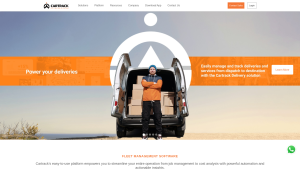
Latest cartrack.co.za screenshot
Rate your experience with Cartrack uptime performance over the last 30 days
  • Popular sites

  • Check cartrack.co.za Server Status.

  • Check cartrack.co.za Server Status.

  • Check cartrack.co.za Server Status.

  • Check cartrack.co.za Server Status.

  • Check cartrack.co.za Server Status.

  • Check cartrack.co.za Server Status.

  • Check cartrack.co.za Server Status.

  • Check cartrack.co.za Server Status.

  • aquaspresso.co.za

    Check cartrack.co.za Server Status.

  • vacancymail.co.za

    Check cartrack.co.za Server Status.

Frequently Asked Questions

We have recently sent browser requests to Cartrack.co.za and it's up and running with status code 200 (UP) and a response time of 0.42 ms. We recommend clearing your cache or restarting/updating your app.

If you are experiencing slow performance while using Cartrack.co.za, it may be your internet connection. Before you call your internet provider to ask about the slow speed, make sure to clear your cache, update the app, and check for any outages first.

HTTP response status code is a 3-digit code returned by the server indicating the status of the request. The code is typically accompanied by a message that provides additional information about the response such as:
  • 2XX - Successful - Website is up & reachable.

  • 3XX - Redirect - The website is accessible, but the browser is redirected to another page.

  • 4XX - Browser Error - The requested page is not available or doesn’t exist.

  • 5XX - Server Error - There are internal errors on the server.

The status code helps developers and users to understand what’s happening with a certain request. This also serves as a guide to take appropriate actions if needed.

The HTTP response time is the amount of time it takes a website to respond to a request made by your device. It calculates how long it takes for a website to load after you click on a link or type a URL into your browser.

Aside from trying a different device, you can also check your device's software if it’s up to date by checking for available updates in your settings.

If the issue persists after trying all of our tips, you can report the issue to us so we can further investigate. By this, you can also see if other users are experiencing it, too.